An AI assistant that watches
your endpoints.
Voidwatch runs quietly on Windows, learns what normal looks like on your machine, and tells you when something is wrong — what it is, why it matters, and how suspicious it is. No enterprise complexity. No alert fatigue.
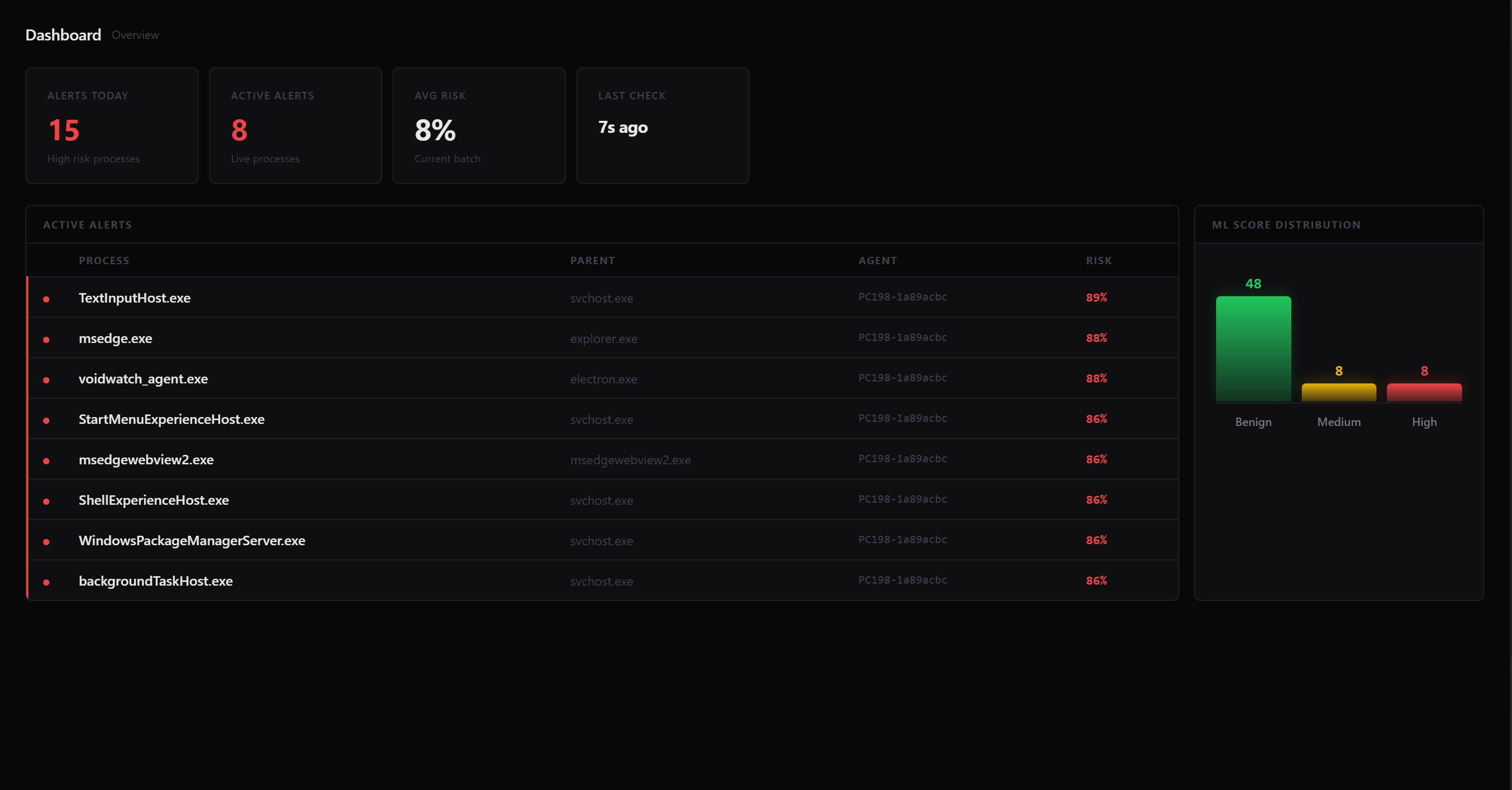
Your security analyst, running 24/7
Voidwatch acts like a security analyst sitting next to you — observing, scoring, explaining, and learning — without needing your attention until something is actually wrong.
Every process that runs on your machine — its name, path, parent, command line, network connections, and whether it is signed — is observed and recorded.
A trained ML classifier scores every process from 0 to 100%. High scores surface as alerts. You see the risk, not a raw list of events to dig through yourself.
Each alert shows which rules fired and what behavior triggered the score — so you can decide whether to act, not just know that something happened.
Mark a process as benign or malicious in the dashboard. Those labels feed back into the next training session, making the assistant smarter on your data.
Voidwatch sees process behavior, not your content. It never reads files, captures your screen, records keystrokes, or touches passwords or messages.
A lightweight Windows agent collects telemetry silently. No performance impact, no popups. The dashboard is there when you want it, invisible when you do not.
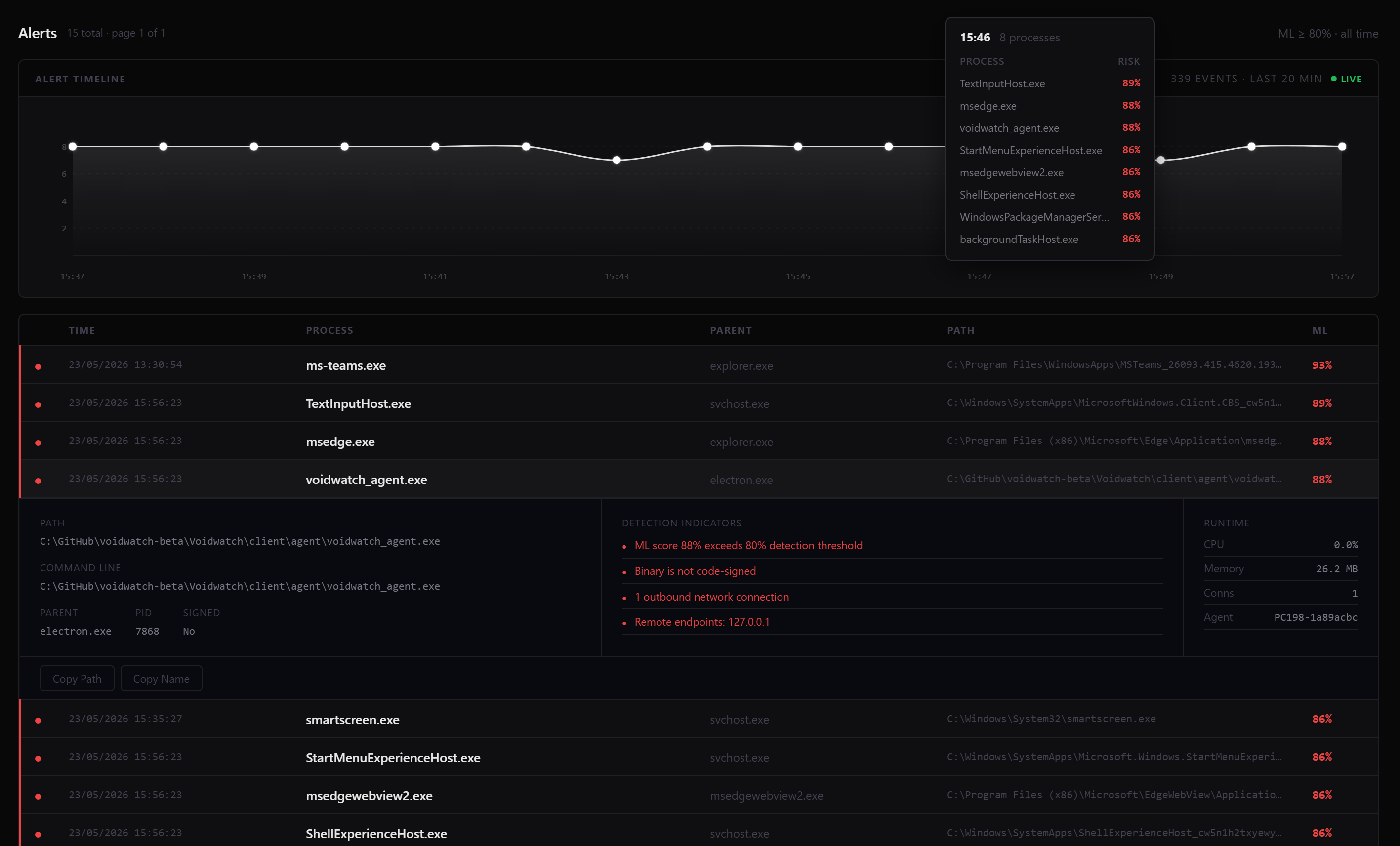
Every threat, explained
The Alerts view shows a live timeline of flagged activity and a full breakdown of each detection — process path, parent, network connections, and exactly why the score fired.
How the assistant thinks
Voidwatch does not guess. Every risk score is the result of two independent reasoning layers — one that applies known rules, and one that learned from real attack data.
Rule-Based Engine
A deterministic rule set maps process behavior to known attack patterns from the MITRE ATT&CK framework. Rules fire instantly — no model inference latency — and produce explainable, auditable detections.
- MITRE ATT&CK tactic mapping
- Parent-child chain analysis
- Suspicious path and signature checks
- Network destination flagging
ML Classifier
A gradient boosting classifier trained on labeled Windows process telemetry from real-world attack and benign datasets. Calibrated with isotonic regression to produce accurate probability scores rather than raw model outputs.
- HistGradientBoosting classifier
- Isotonic calibration for accurate probabilities
- Trained on OTRF Security Datasets
- Human-reviewed beta labels feed retraining
It watches processes, not people
Voidwatch is an assistant that understands system behavior — not one that reads your content. Here is exactly what it sees and what it never touches.
- Process name
- Process path
- Parent process
- Command line
- Network destination IP and port
- Digital signature information
- Timestamp
- Risk score
- Passwords
- Private messages
- Files and documents
- Screenshots
- Browser history
- Cookies
- Document contents
- Keystrokes
How it works
A client-server architecture where telemetry flows from endpoint to dashboard and human-reviewed labels feed back into model improvement.
Get your AI security assistant
Voidwatch Beta is available now for Windows. Install it, activate your license key, and it starts watching immediately — no configuration, no rules to write.
Voidwatch is a beta assistant, not a replacement for antivirus or enterprise EDR software.